Once your campaign is launched, you can manage its activity from the Campaigns area. Use scheduling to control when campaign actions run, and pause or resume the campaign when you need to temporarily stop or restart outreach.
Before making changes, open Campaigns and find the campaign you want to manage.
Check its current status to understand whether the campaign is currently running or paused.
Your campaign status helps you determine what action you can take next.
Running: The campaign is active and can process eligible leads according to its configuration.
Paused: Campaign activity is temporarily stopped.
Completed: The campaign has finished processing its available workflow.
Draft: The campaign has been created but has not been launched.
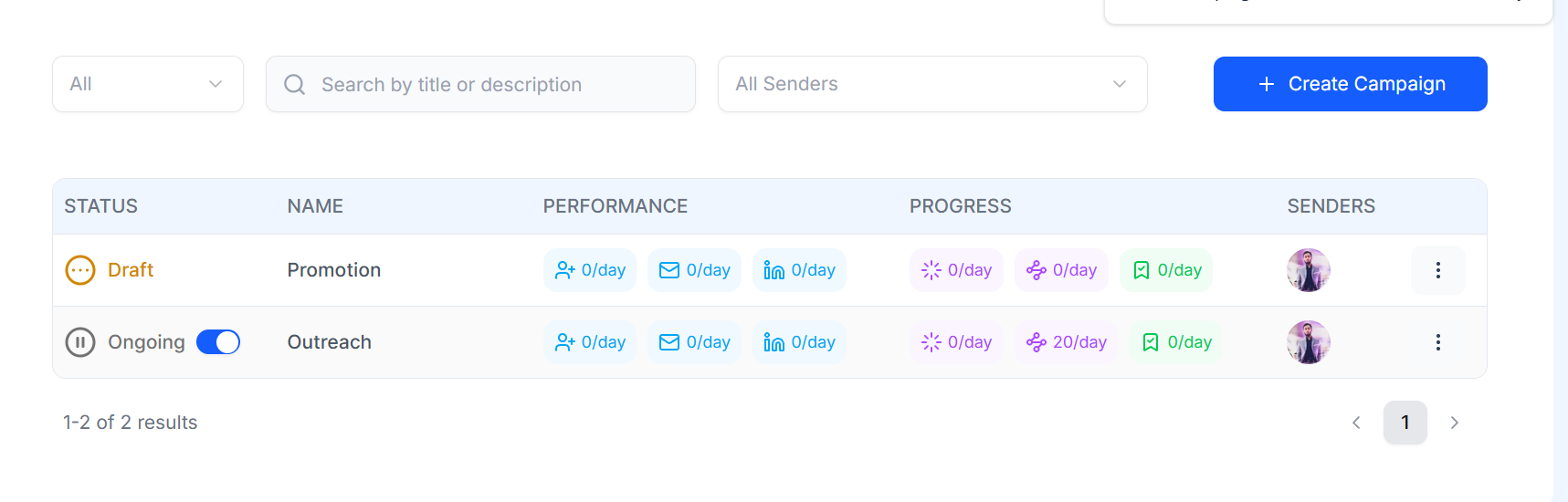

The exact statuses available may vary by product version.
Your campaign activity is affected by the schedule configured for the LinkedIn sender.
Before launching or restarting a campaign, review the sender schedule to make sure it matches the hours when you want campaign activity to run.
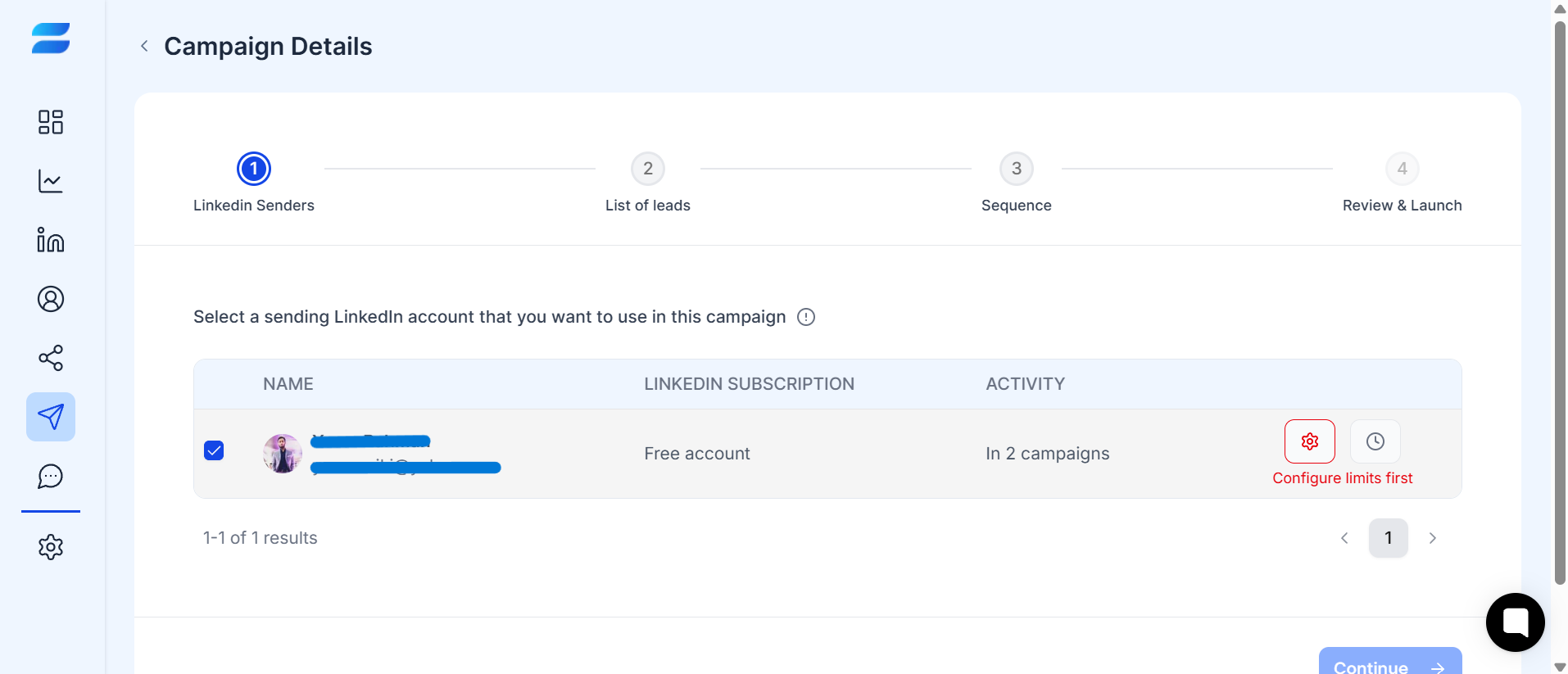
Open the campaign.
Click on the campaign that you want to edit.
Open the sender’s schedule.
Review the active days and hours.
Make any required changes.
Save the updated schedule.
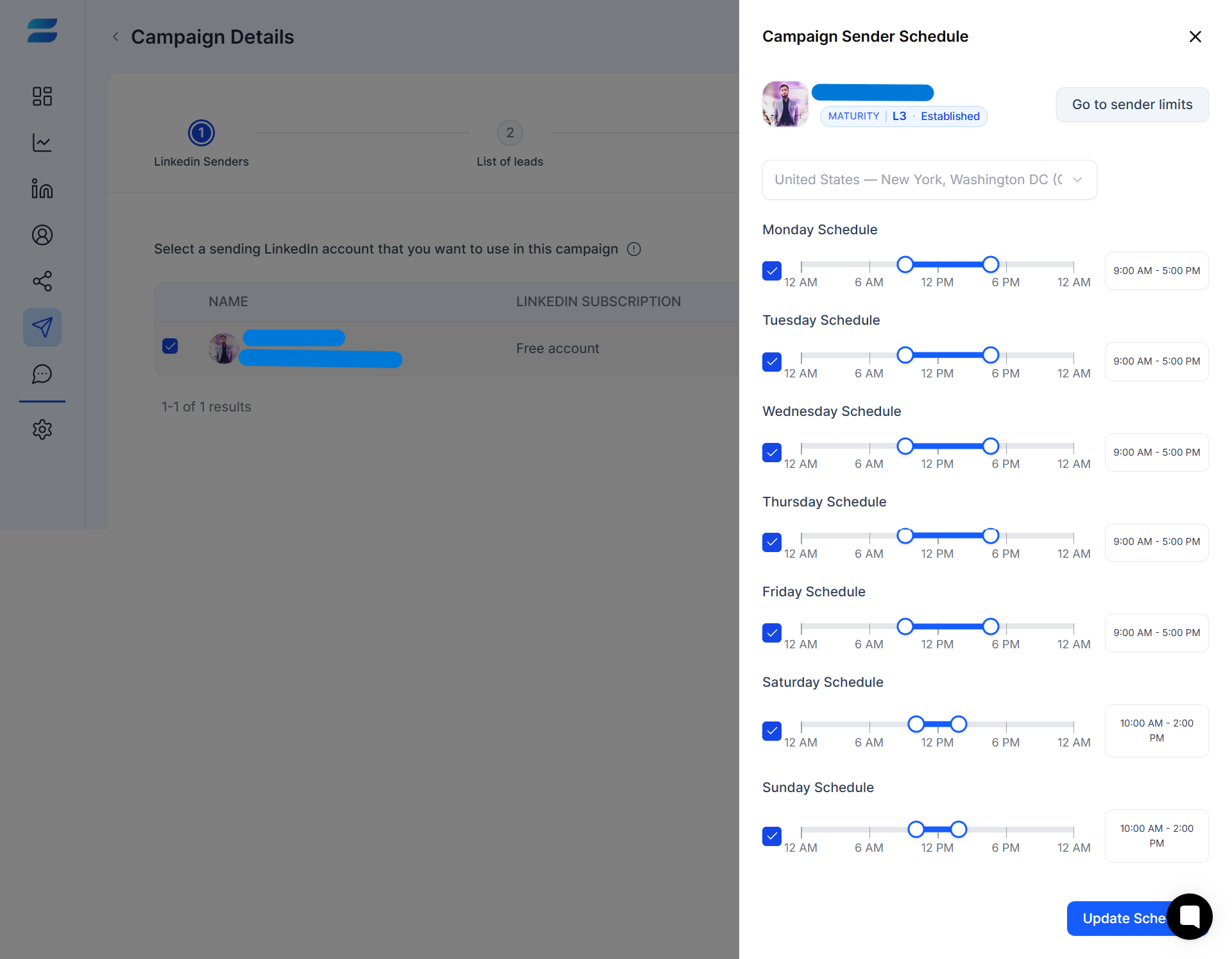
Keep your campaign schedule aligned with your overall outreach strategy and sender limits.
Important: Changing the schedule does not necessarily mean that all campaign activity will happen immediately. Other factors, such as sender limits, available leads, and sequence conditions, can affect when an action runs.
Pause your campaign when you want to temporarily stop campaign activity without removing the campaign or rebuilding it.
Open Campaigns.
Find the campaign you want to stop.
Click on the toggle button beside the status column.
Select Pause.

Once paused, the campaign will stop processing new campaign actions until it is resumed.
You may want to pause a campaign when:
You need to review or update your sequence.
You need to change your campaign strategy.
Your sender requires attention.
You want to temporarily stop outreach.
·You need to review campaign performance before continuing.
When you’re ready to continue outreach, you can resume a paused campaign.
Open Campaigns.
Find the paused campaign.
Click the status toggle controls.
Select Resume, and it will be Confirm.
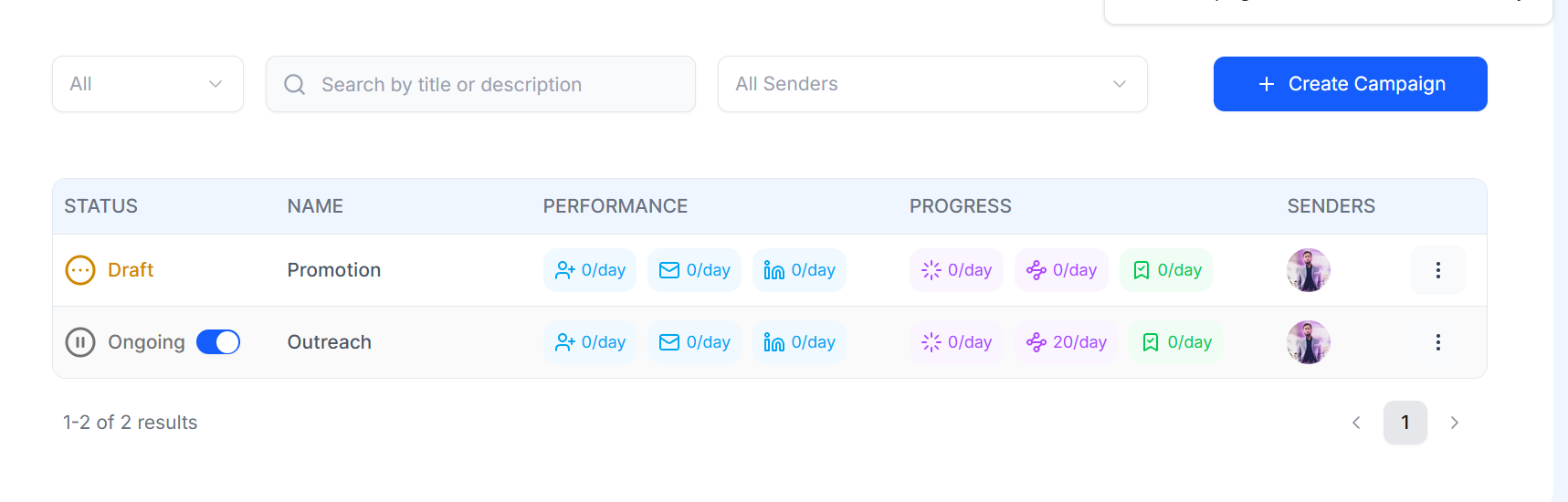
The campaign will continue according to its configured workflow, sender schedule, limits, and remaining eligible leads.
Use this quick checklist:
☐ I have confirmed the campaign status.
☐ The correct LinkedIn sender is connected.
☐ Sender limits have been reviewed.
☐ The sender schedule is correct.
☐ The lead list has eligible leads.
☐ The sequence is ready to continue.
☐ I know why I am pausing or resuming the campaign.
If you resume a campaign but don’t see activity immediately, check:
The campaign status.
The sender status.
The sender schedule.
Daily sending limits.
Lead availability.
Sequence conditions.
Whether the campaign has already completed its available actions.
If everything looks correct and the campaign still does not send, see Why Isn’t My Campaign Sending?.
