Sending limits control how many LinkedIn actions your account can perform during a given period.
The safest approach is to use conservative limits that match the age, activity, and condition of your LinkedIn account.
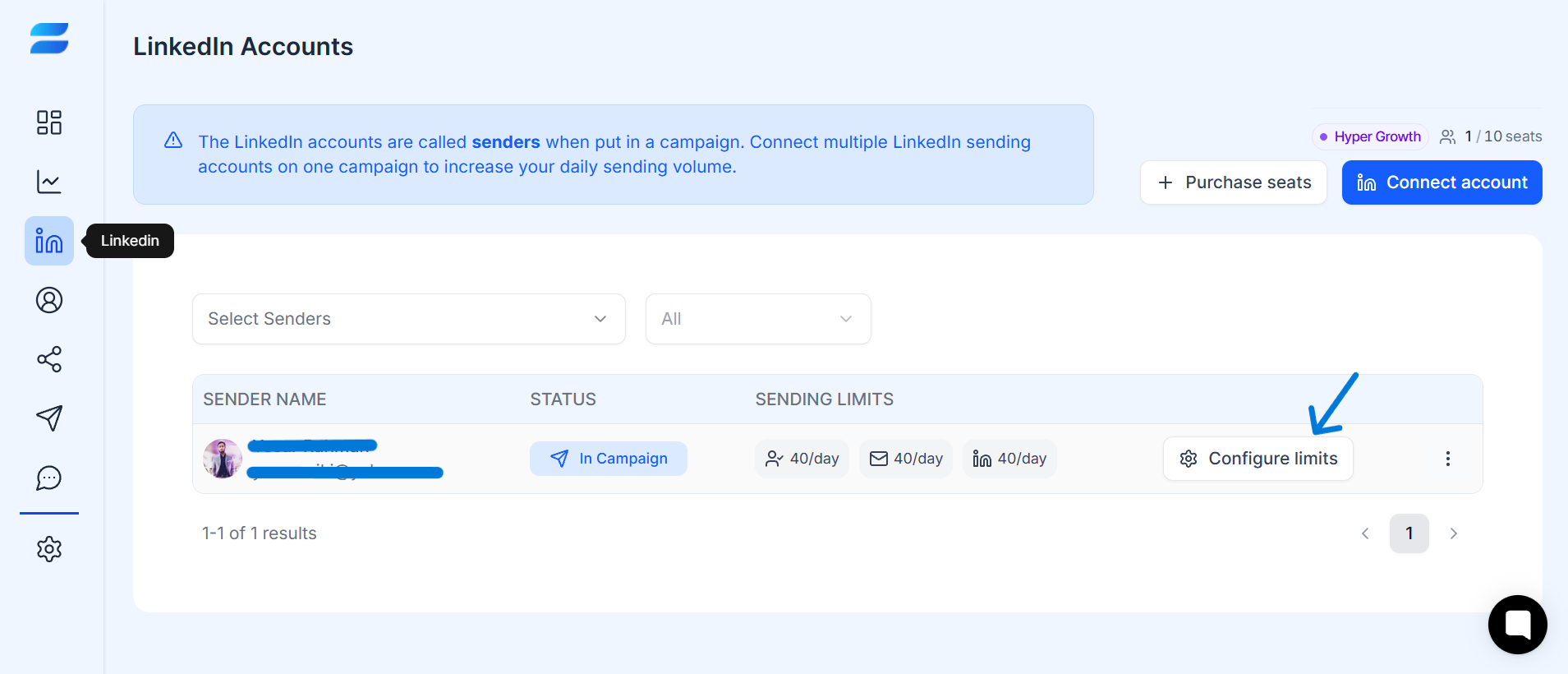
Open your LinkedIn sender settings.
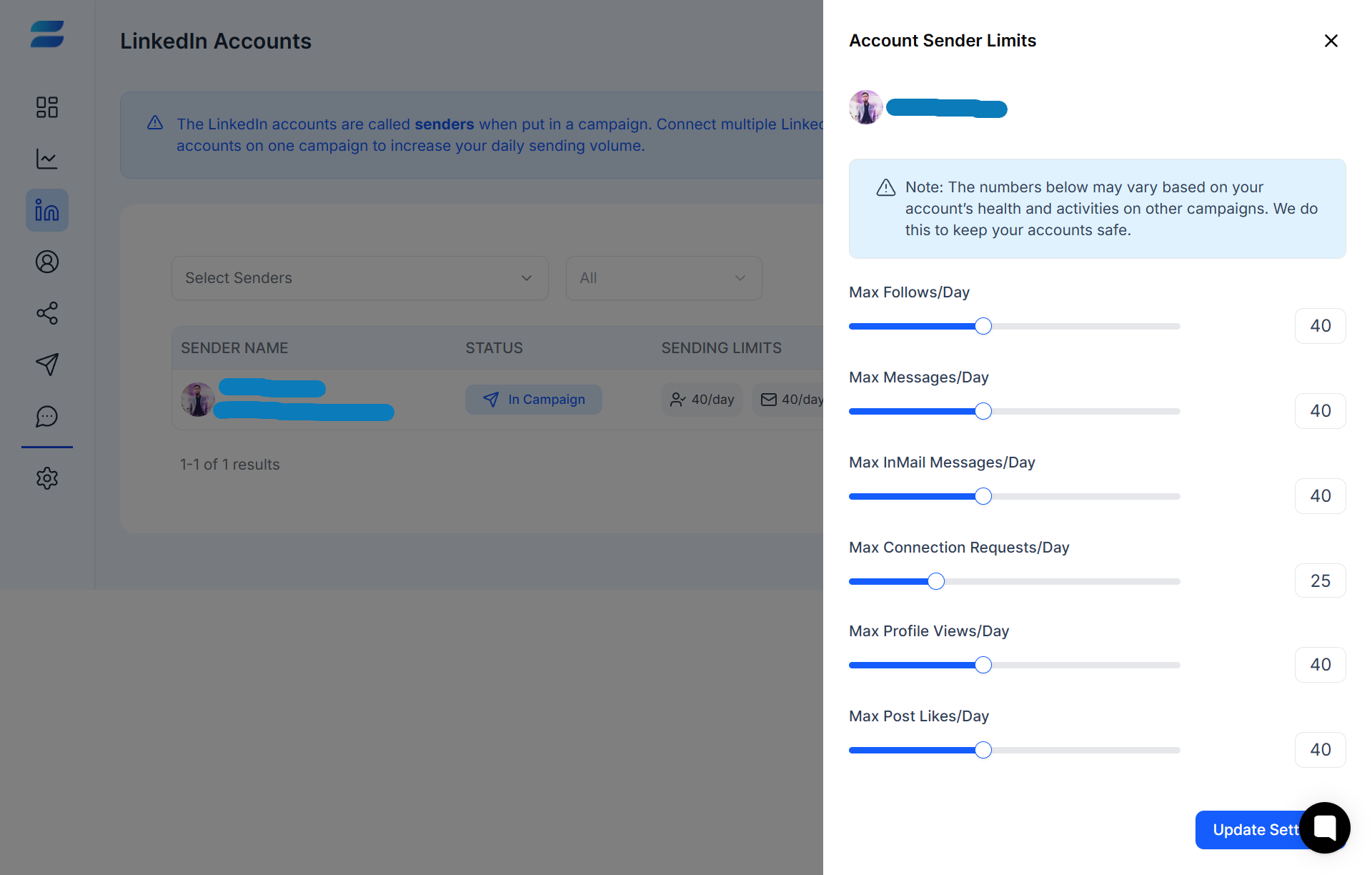
Find the activity-limit settings.
Review the available daily limits.
Set a conservative starting level.
Save your settings.
Monitor account activity.
Adjust gradually when appropriate.
There is no single daily number that is safe for every LinkedIn account.
Consider:
Account age
Existing LinkedIn activity
Connection acceptance rate
Previous outreach volume
Account history
LinkedIn's current enforcement behavior
Type of action being performed
Tips
▸Avoid maximizing every available limit.
▸Don't increase several limits at once.
▸Keep activity within realistic working hours.
▸Review performance before increasing volume.
▸Pause activity if your LinkedIn account shows warning signs.
Check whether:
Your LinkedIn account is connected.
The campaign is active.
The sender has remaining capacity.
Your daily limit has been reached.
LinkedIn is requesting verification.
The specific action is available for that account.
Working Hours & Activity Scheduling
Why Isn't My Campaign Sending?
Multiple Senders & Sender Rotation
