You can import people or company records into SendCopy.ai using a CSV file.
CSV import is useful when your leads or company data comes from another CRM, spreadsheet, lead database, or prospecting workflow.
You can import People or Company records and map the CSV columns to the corresponding SendCopy.ai fields.
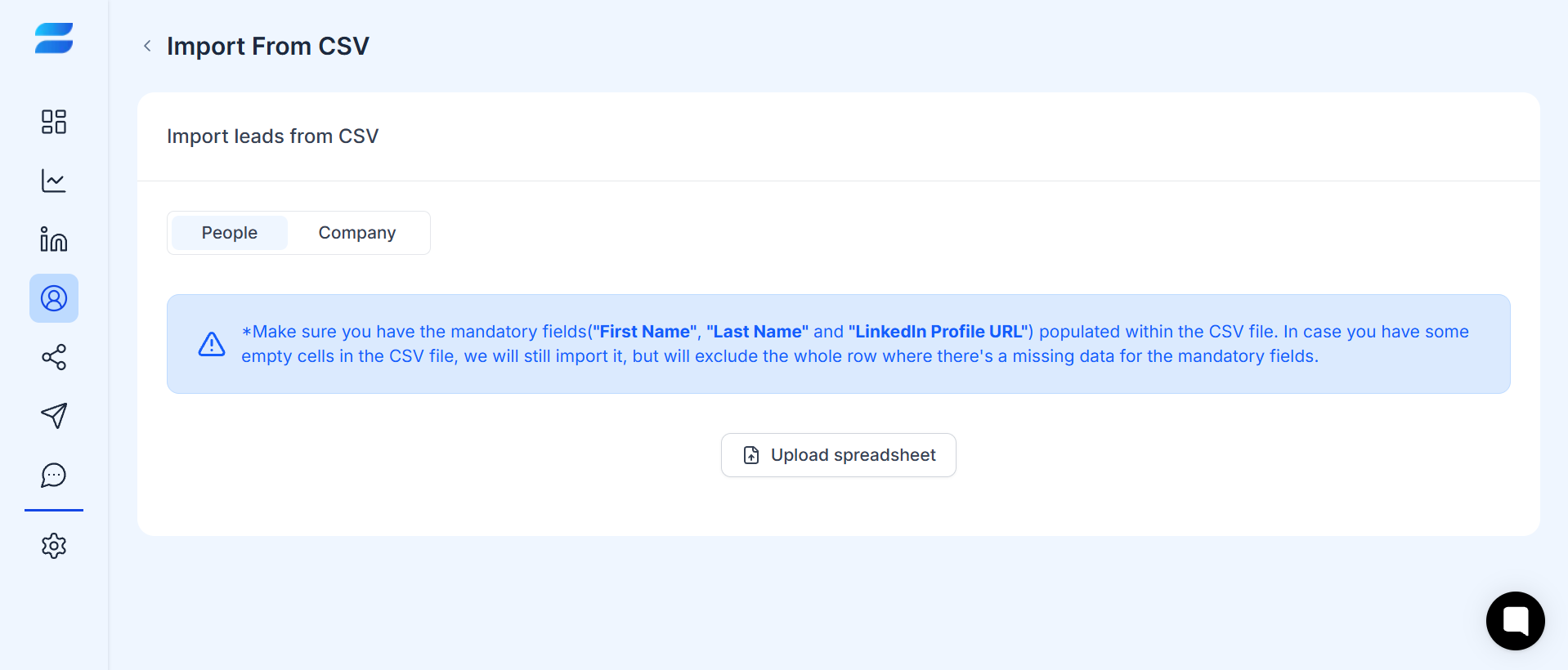
Caption: Import people or company records using a CSV file.
Before uploading, make sure your CSV contains the required information for the type of data you are importing.
The required fields are:
First name
Last name
LinkedIn profile URL
You can also include additional information such as:
Location
Headline
About
Email address
Custom variables
The required fields are:
Company name
Company URL
You can also include additional information such as:
LinkedIn profile URL
Location
Headline
About
Email address
Custom variables
If a row is missing required information, SendCopy.ai may exclude that row from the import.
1. Open Leads.
2. Select Add leads.
3. Choose Import from CSV.
4. Select whether you are importing People or Company records.
5. Upload your CSV file.
6. Map each CSV column to the corresponding SendCopy.ai field.
7. Add any Custom Variables if needed.
8. Select an existing leads list or choose Create empty list.
9. Review your mappings and imported records.
10. Click Import Leads.
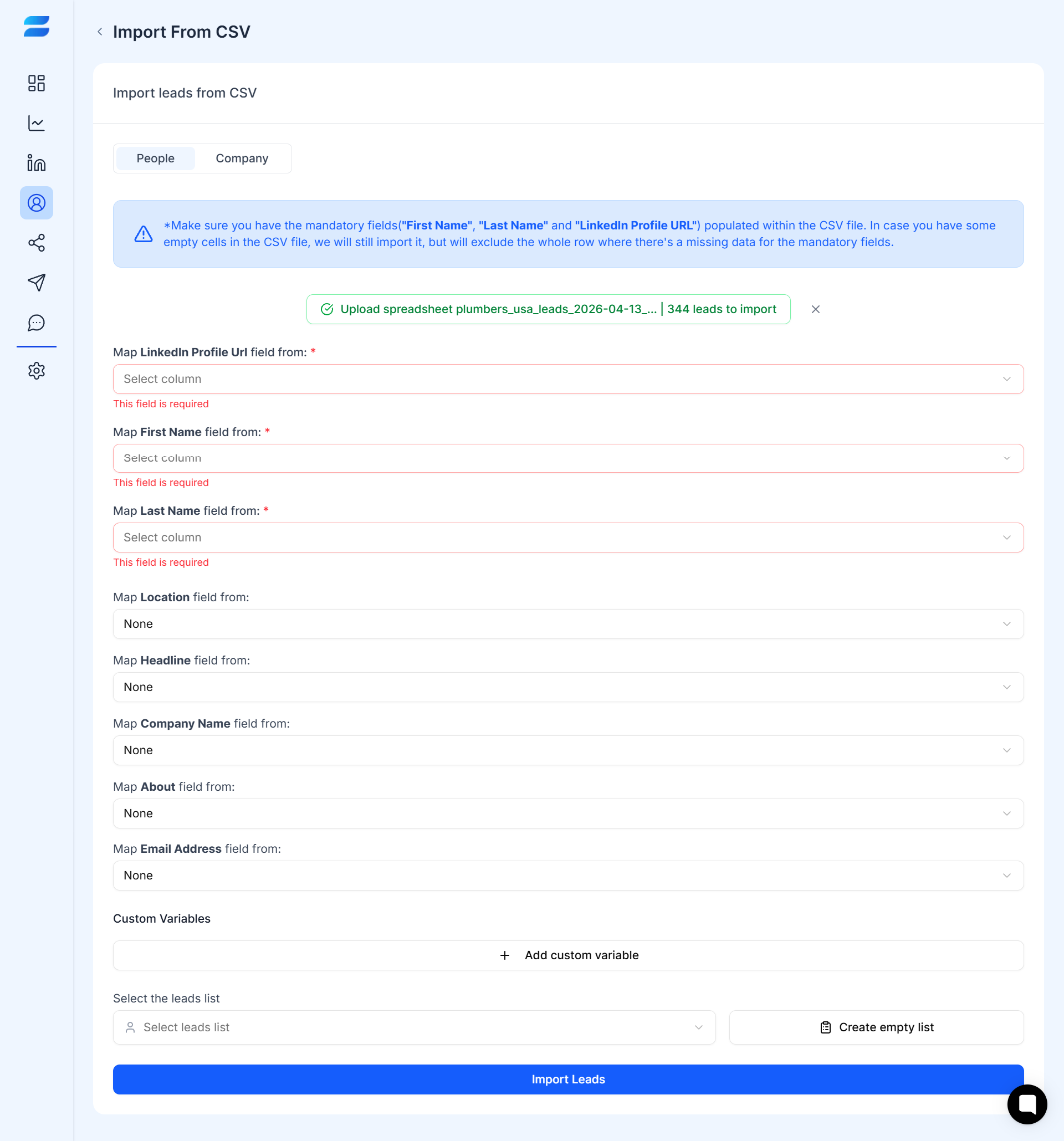
Caption: Map CSV columns to SendCopy.ai fields and select a lead list before importing.
Import Type | Required Fields |
People | First Name, Last Name, LinkedIn Profile URL |
Company | Company Name, Company URL |
Make sure these fields are populated in your CSV before importing.
Tips
» Remove duplicate rows before uploading.
» Use valid LinkedIn profile URLs and company URLs where applicable.
» Keep one record per row.
» Make sure required fields are populated.
» Keep your column names clear and consistent.
» Avoid unnecessary columns.
» Use Custom Variables when you need to import additional data for personalization or organization.
» Test a small file first if you're importing a large database.
If records are missing after import, check:
Whether the CSV contains all required fields.
Whether required fields contain empty cells.
Whether your URLs are valid.
Whether duplicate records are being excluded.
Whether the CSV columns were mapped to the correct SendCopy.ai fields.
For People imports, make sure First Name, Last Name, and LinkedIn Profile URL are populated.
For Company imports, make sure Company Name and Company URL are populated.
Removing Duplicate Leads
Tagging & Categorizing Leads
