
SendCopy.ai can help you bring prospects from LinkedIn Sales Navigator into your outreach process.
This is useful when you already have a targeted Sales Navigator search and want to import those prospects into a SendCopy.ai lead list.
The Sales Navigator import flow requires at least one LinkedIn account with a Sales Navigator subscription.
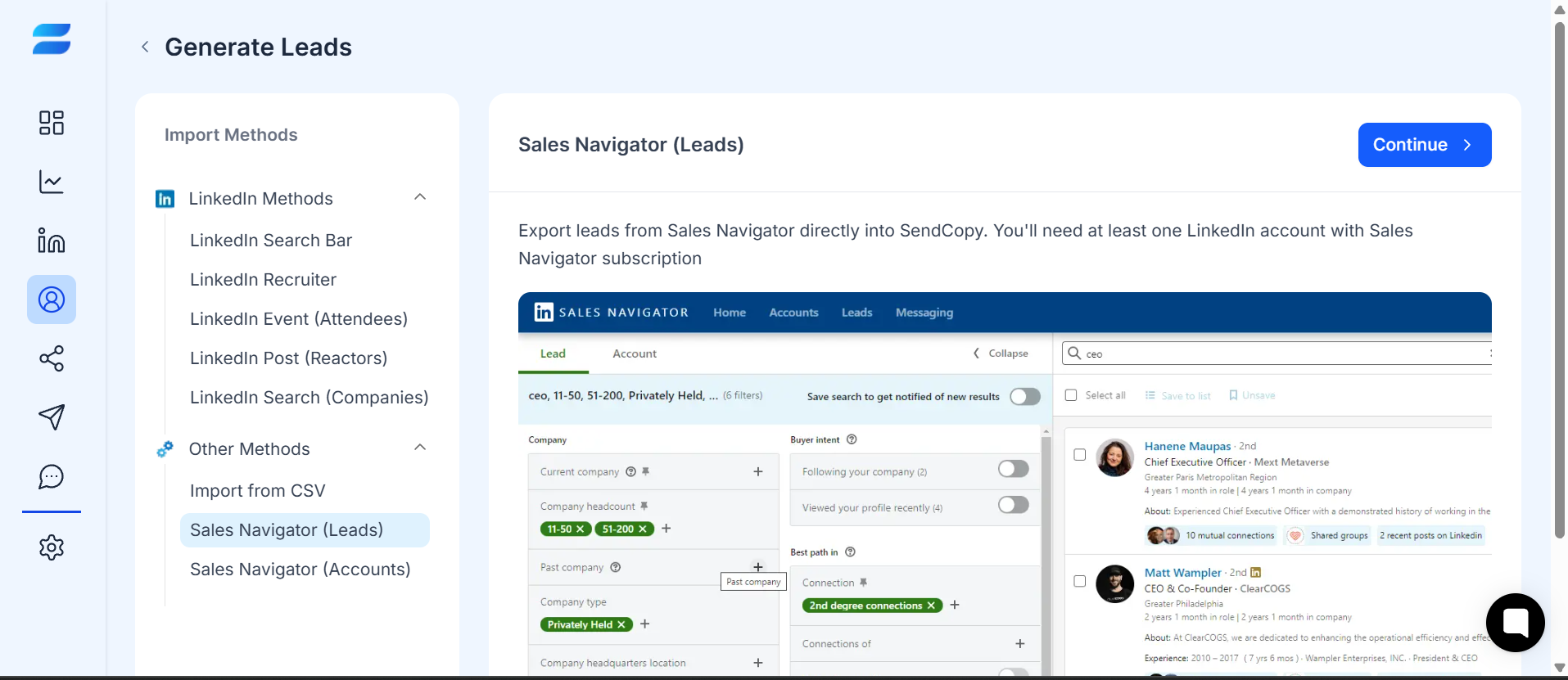
Caption: Select Sales Navigator (Leads) to import prospects from LinkedIn Sales Navigator.
How It Works
1. Open Leads.
2. Select Add leads.
3. Choose Sales Navigator (Leads).
4. Click Continue.
5. Enter a name for the lead list.
6. Select the sender you want to use.
7. Enter the relevant Sales Navigator people/search URL in the Search by people url field.
8. Click Start Importing.
9. Review the imported leads in the selected list.
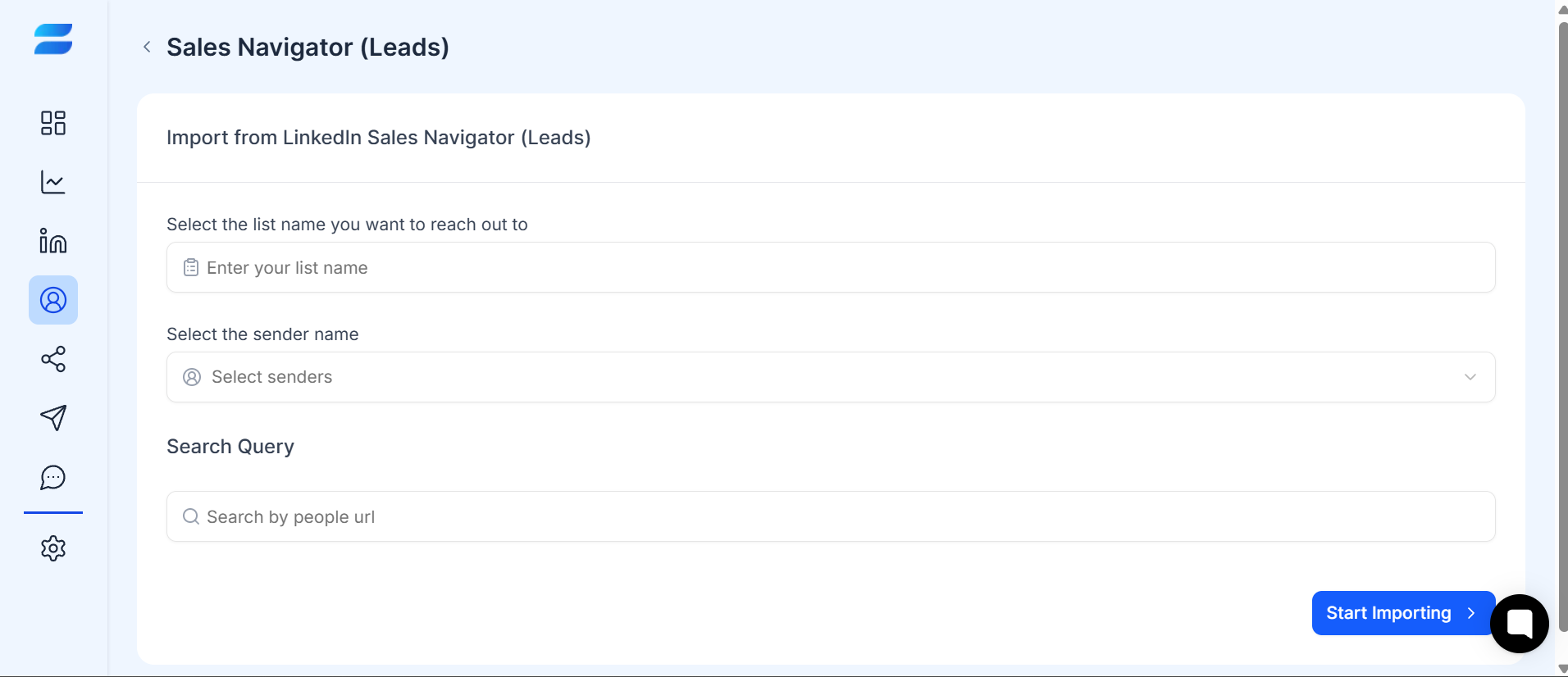
Caption: Select Sales Navigator (Leads) to import prospects from LinkedIn Sales Navigator.
Tips
» Create narrow, well-targeted Sales Navigator searches instead of one extremely broad search.
» Use relevant filters such as job title, industry, location, or company size before importing prospects.
» Give each imported list a clear, descriptive name so it is easy to identify later.
» Review imported prospects before adding them to an outreach campaign.
For example, instead of targeting:
All marketing professionals
Use a more specific audience such as:
Marketing Directors at SaaS companies in the United States.
Important
Only collect and contact prospects in accordance with LinkedIn's rules and applicable privacy/marketing laws.
Related Articles
Filtering & Segmenting Leads
How to Create a Campaign