
Open payment settings
1. Log in to your SendCopy.ai account.
2. Go to Settings → Billing.
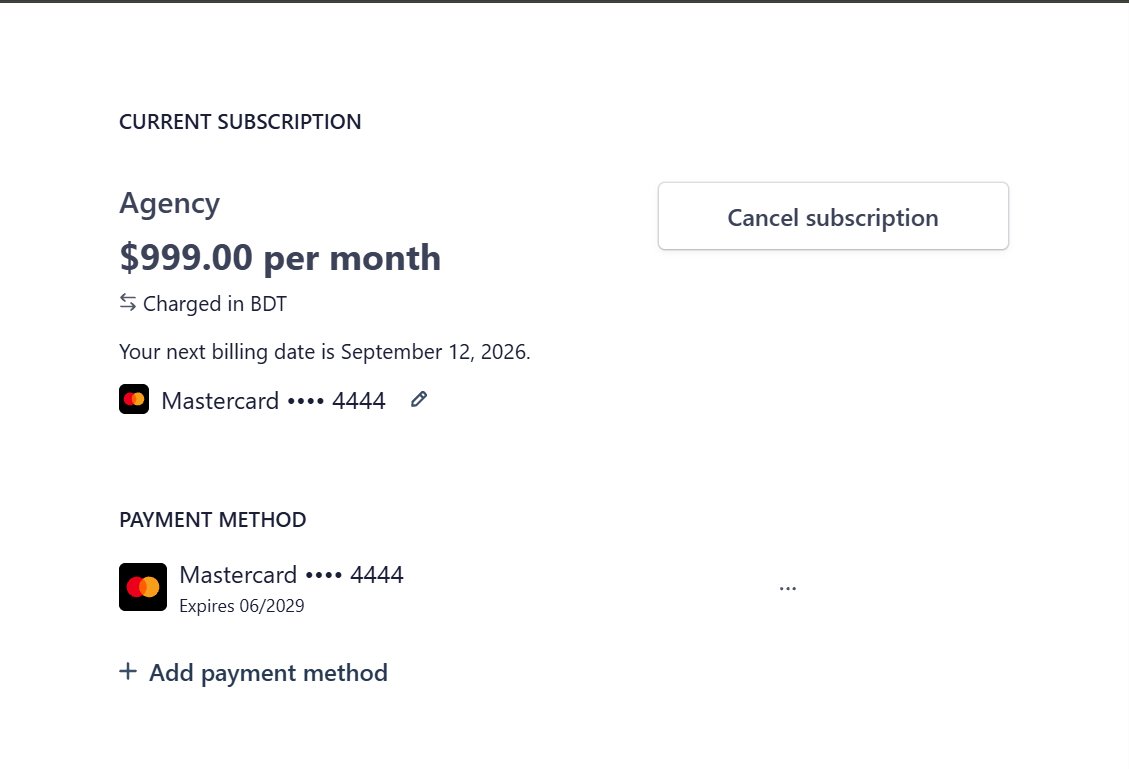
3. Click Manage subscription.
4. Find the Payment Method section.
5. Click on Add Payment Method.
Add or update a payment method
Use the payment controls provided in the subscription management page to add a new payment method or update the payment method associated with your subscription.
Review the payment method currently associated with the subscription.
Add a payment method when you need to use a different card or payment method.
Review the updated payment details before saving the change.
Tip: Keep your payment information up to date to help avoid interruptions to your subscription.
Related Articles
• Accessing & Downloading Invoices