View your LinkedIn conversations
Search for specific leads
Filter conversations
Review unread conversations
View your own leads
Access InMail conversations
Star important conversations
Review lead information
Reply to prospects
Mark conversations as read or unread
Archive or delete conversations
The Omnibox includes several sections that help you manage conversations.
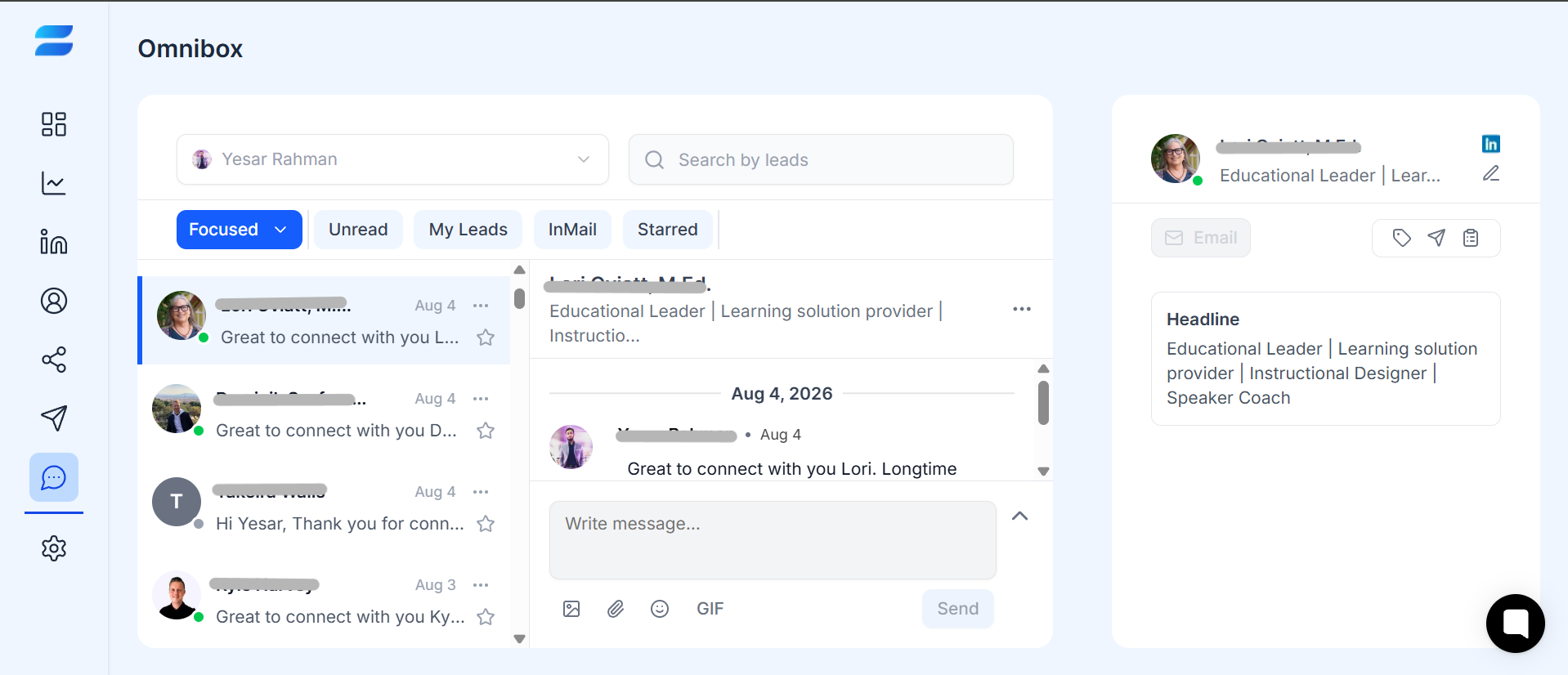
Use the sender account dropdown at the top to select the LinkedIn account you want to work with. This is especially useful when multiple sender accounts are connected to your SendCopy.ai workspace.
Use the Search by leads field to find a specific prospect or conversation quickly. Enter the lead's name or relevant search information to locate the conversation without manually scrolling through your inbox.
Focused - View your main conversations.
Unread - Find conversations that haven't been reviewed yet.
My Leads - View conversations associated with your leads.
InMail - Review InMail conversations.
Starred - Find conversations you've marked as important.
The left panel displays your conversations. Each conversation can show the lead's name, profile image, message preview, activity date, and starred status. Select a conversation to open it in the main conversation panel.
The center panel displays the selected conversation. You can review previous messages and write a new response using the message box. The three-dot menu also provides additional conversation actions.
The right panel displays information about the selected lead, such as their name, LinkedIn profile, and headline. This lets you review relevant prospect information while managing the conversation.
1. Open the Omnibox.
2. Select the appropriate sender account.
3. Review your Focused or Unread conversations.
4. Search for a specific lead when needed.
5. Open the conversation.
6. Review the previous messages.
7. Respond to the prospect.
8. Star important conversations for follow-up.
9. Archive conversations that no longer need immediate attention.
Tips
↳ Check the Unread filter regularly to avoid missing new replies.
↳ Use search when you need to find a specific lead quickly.
↳ Star conversations that require follow-up.
↳ Review the lead's information before responding.
↳ Keep your inbox organized by archiving conversations that no longer require immediate attention.
Related Articles
