
If you need to connect more LinkedIn accounts than the number of seats included in your subscription, you can purchase additional seats from the LinkedIn Accounts area.
How to purchase additional seats
Log in to your SendCopy.ai account.
Click LinkedIn Accounts from the left sidebar.
Click Purchase seats in the top-right corner.
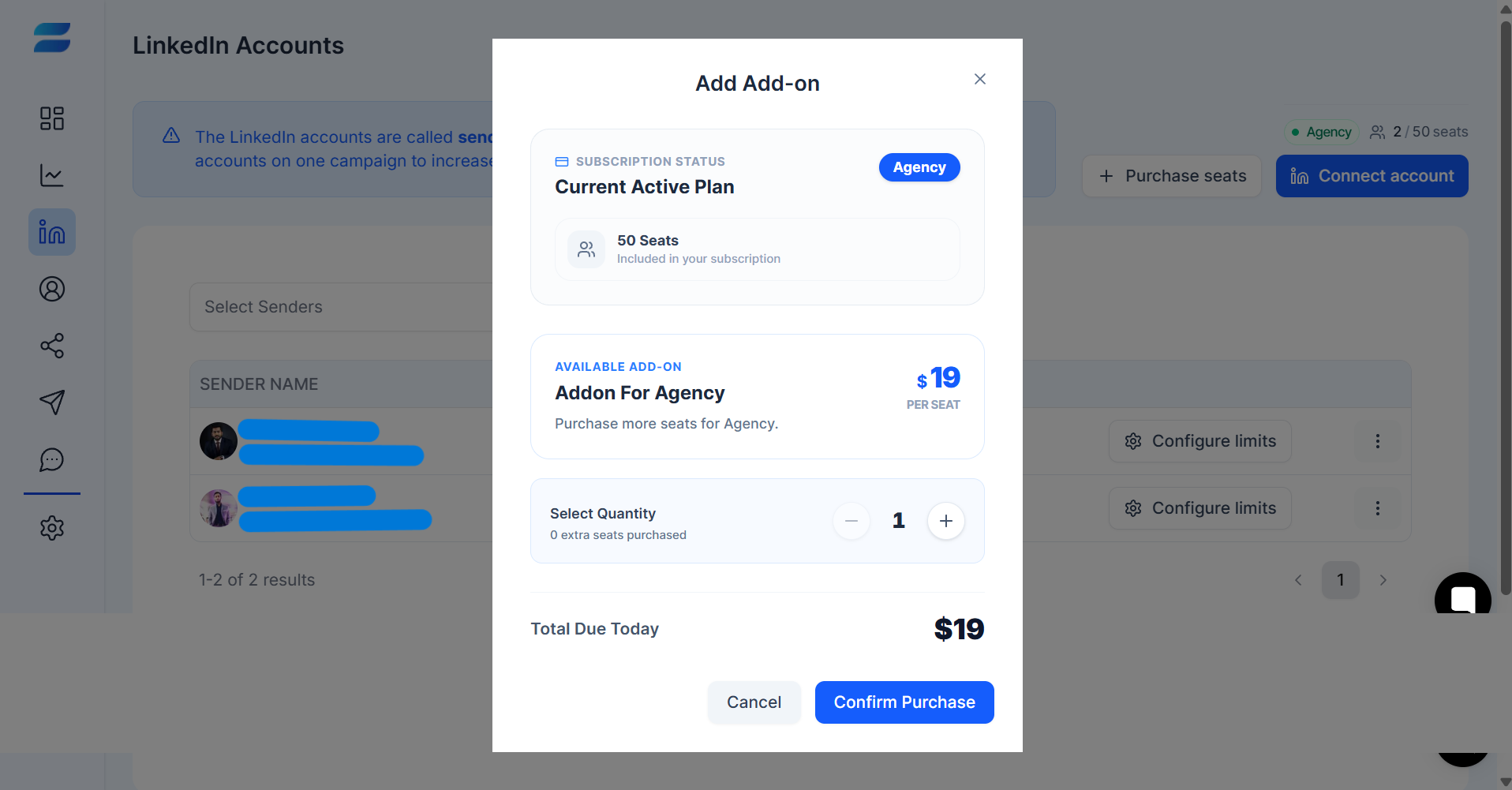
The Add Add-on window will open.
Review your Current Active Plan and the number of seats included in your subscription.
Review the available add-on and its price per seat.
Use the − and + controls to select the number of additional seats you want.
Review the Total Due Today.
Click Confirm Purchase to complete the purchase.
Before confirming your purchase
Check the number of seats included in your active plan.
Select the number of extra seats you actually need.
Review the Total Due Today before clicking Confirm Purchase.
Tip: Additional seat pricing and included seat limits can vary by plan. Use the values displayed in your account when making a purchase.
Related Articles
• Understanding Plans & Pricing